

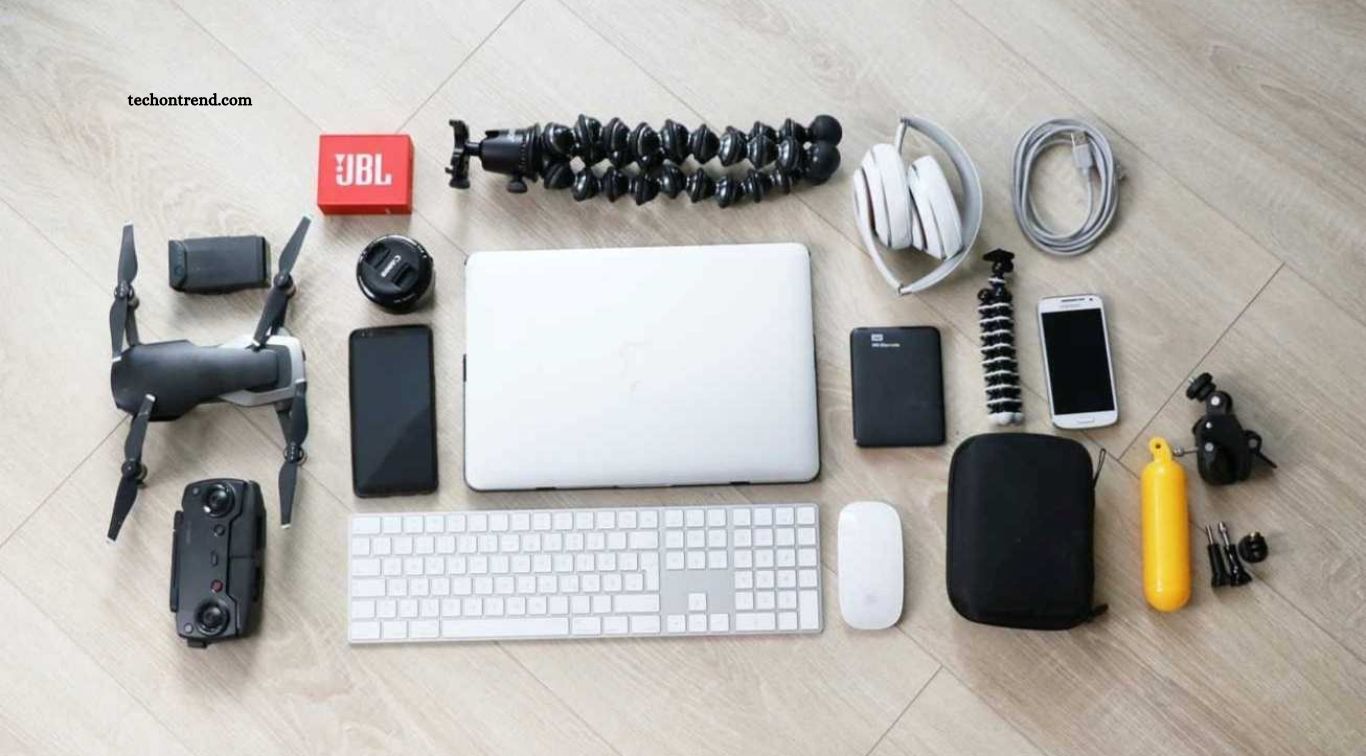
Technology has become an essential part of modern education and professional life. Students use digital devices to attend online classes, complete assignments, research information, and collaborate on projects, while professionals depend on technology to manage tasks, communicate with colleagues, and improve productivity. The right gadgets can make these activities easier, save time, and create a more organized working environment.
However, choosing useful gadgets can be challenging because the market offers countless devices with different features and prices. Some products focus on portability, while others improve comfort, connectivity, or everyday efficiency. This guide explores must-have gadgets for students and professionals, explaining their practical benefits and helping readers choose technology that suits their needs and budgets.
Read More: How AI Is Making Modern Gadgets Smarter
Laptops for Study and Professional Work
A laptop is one of the most useful gadgets for students and professionals because it supports a wide range of daily activities. Students can use it to prepare assignments, attend virtual lectures, research topics, create presentations, and participate in group projects. Professionals can rely on laptops for office applications, video meetings, document editing, programming, and managing business operations from almost anywhere.
When choosing a laptop, consider performance, battery life, screen quality, weight, and storage capacity. Students who mainly browse the web and write documents may not need an expensive high-performance model, while designers, developers, and video editors may require more powerful hardware. A lightweight laptop with reliable battery life is often a practical choice for people who travel frequently between classrooms, offices, and other workspaces.
Tablets for Digital Notes and Reading
Tablets offer a portable way to read documents, review study materials, annotate PDFs, and organize digital notes. With a compatible stylus, students can write equations, draw diagrams, highlight important information, and keep handwritten notes in one place. Professionals can use tablets to review reports, mark up documents, present ideas, and read work materials while traveling.
Before purchasing a tablet, check its operating system, screen size, battery performance, storage, and compatibility with accessories. A stylus and detachable keyboard can make a tablet more versatile, although these accessories may increase the total cost. Tablets are particularly useful for people who value portability, but they may not fully replace a laptop when specialized software or extensive multitasking is required.
Wireless Earbuds and Noise-Canceling Headphones
Wireless earbuds and headphones make it easier to attend online classes, join virtual meetings, listen to lectures, and concentrate in busy environments. Noise-canceling headphones can reduce distracting background sounds, which may help students study in shared spaces and professionals work in open offices. Built-in microphones can also improve communication during calls when the device and surrounding conditions support clear audio.
The best option depends on comfort, sound quality, battery life, microphone performance, and intended use. Earbuds are compact and convenient for commuting, while over-ear headphones may be more comfortable during long work sessions. Active noise cancellation is useful in noisy surroundings, but it does not replace awareness of nearby traffic or other safety hazards. Compare fit and call quality before choosing a device for daily use.
Portable Power Banks for Reliable Charging
A power bank is a practical accessory for anyone who relies on mobile devices throughout the day. Students can use one to recharge smartphones, wireless earbuds, and some tablets between classes, while professionals can keep essential devices powered during meetings, travel, and long working hours. A dependable portable charger is especially helpful when electrical outlets are limited or unavailable.
When choosing a power bank, check its capacity, output wattage, supported charging standards, number of ports, and physical size. A compact model may be sufficient for occasional smartphone charging, while frequent travelers may prefer a higher-capacity option. If you plan to charge a laptop, confirm that the power bank supports the laptop’s required USB-C Power Delivery output. Always use compatible, reputable charging equipment.
External SSDs for Fast and Portable Storage
External solid-state drives (SSDs) provide a convenient way to store, transfer, and back up large files. Students can use them to keep research materials, presentations, assignments, and multimedia projects organized, while professionals may need additional space for business documents, design files, software projects, and video footage. SSDs generally offer faster file transfers and better resistance to everyday movement than traditional portable hard drives.
Storage capacity and connection speed are important factors when choosing an external SSD. A smaller drive may suit documents and coursework, while photographers, designers, and video editors may benefit from larger capacities. Check compatibility with your laptop, tablet, or phone before purchasing. An external SSD is useful for backups, but important files should ideally exist in more than one location to reduce the risk of permanent data loss.
USB-C Hubs and Docking Stations
Modern laptops often have limited ports, making USB-C hubs and docking stations useful accessories for expanding connectivity. A hub can provide additional USB ports, memory card readers, HDMI output, Ethernet, and other connections, depending on the model. Students can connect external drives and presentation displays, while professionals can attach monitors, keyboards, mice, and wired network connections to create a more efficient workstation.
Not every hub supports the same features, so check its data-transfer speed, display resolution, charging capacity, and compatibility with your device. Some laptops support multiple external displays through specific ports or standards, while others have restrictions. A compact hub is convenient for carrying in a backpack, whereas a docking station may be better for a permanent desk setup. Choosing the right accessory can reduce cable clutter and make switching workspaces easier.
Wireless Keyboards and Ergonomic Mice
A wireless keyboard and mouse can improve comfort and convenience for people who spend long periods working on computers. Students may find a full-size keyboard helpful for writing reports and taking notes, while professionals can use an ergonomic mouse to navigate applications and manage complex workflows. Wireless accessories also reduce cable clutter and allow users to organize their desks more flexibly.
Comfort should be the main priority when choosing these devices. Look for a keyboard with a layout that suits your typing habits and a mouse that fits your hand naturally. Adjustable features, responsive buttons, and reliable connectivity can make everyday work more pleasant. Good accessories cannot eliminate every risk associated with prolonged computer use, so combine them with appropriate posture, regular breaks, and a workstation adjusted to your needs.
Smart Notebooks and Digital Pens
Smart notebooks and digital pens help combine handwritten notes with digital organization. Depending on the product, users may write on reusable pages, capture notes electronically, or annotate documents directly on a compatible tablet. Students can organize lecture notes and diagrams, while professionals can record meeting points, brainstorm ideas, and share written information with colleagues more easily.
The right option depends on whether you prefer writing on paper, using a screen, or combining both methods. Some smart notebooks require a compatible pen or mobile application, and certain features may depend on a subscription. Digital pens also vary in pressure sensitivity, latency, and compatibility. Before investing, consider how easily you can search, export, synchronize, and back up your notes across devices.
Portable Monitors for a Larger Workspace
A portable monitor can provide extra screen space for people who work or study away from a permanent desk. Students can keep lecture materials open while writing assignments, compare documents side by side, or use a second display during research. Professionals may use portable monitors to review spreadsheets, manage presentations, edit media, and participate in video meetings without constantly switching between application windows.
When selecting a portable monitor, compare screen size, resolution, brightness, weight, connectivity, and power requirements. Some models connect through a single USB-C cable, while others need additional power or an HDMI connection. Confirm that your laptop or mobile device supports the required display output. A portable monitor can improve flexibility, but it is most useful when your workflow genuinely benefits from having multiple windows visible at once.
Webcams and Desk Lighting for Video Meetings
A reliable webcam and suitable desk lighting can improve the quality of online classes, interviews, presentations, and professional meetings. Although many laptops include built-in cameras, an external webcam may offer better positioning, image quality, or low-light performance. Proper lighting helps make your face easier to see and can create a more professional appearance during remote communication.
Look for a webcam with suitable resolution, dependable autofocus, and a microphone that meets your needs. You do not always need expensive equipment; placing a light source in front of you and positioning the camera at eye level can make a noticeable difference. Before purchasing accessories, test your existing camera, microphone, and room lighting. A simple, well-arranged setup may deliver better results than buying multiple products without considering their placement.
Smartwatches and Fitness Bands
Smartwatches and fitness bands can help students and professionals manage notifications, alarms, calendars, and activity tracking from their wrists. Depending on the model, these devices may display incoming calls, remind users about scheduled tasks, track steps, and provide sleep or workout summaries. Quick access to notifications can be convenient when a phone is stored in a bag or placed away from a desk.
However, more notifications do not always mean better productivity. Frequent alerts can interrupt concentration, so it is useful to customize notification settings and enable focus modes when studying or working. Battery life, phone compatibility, comfort, and the usefulness of available applications should guide your purchase. A smartwatch is most valuable when its features support your routine rather than create additional distractions.
Wi-Fi Routers and Mobile Hotspots
A dependable internet connection is essential for online learning, remote work, video conferencing, cloud applications, and collaboration. A suitable Wi-Fi router can improve wireless coverage and help connect multiple devices in a home or office. Students who attend virtual classes and professionals who work remotely may benefit from reliable connectivity that supports video calls, file transfers, and online research.
Mobile hotspots can provide an alternative connection when fixed broadband is unavailable or unreliable. Before purchasing a router or hotspot, check coverage in your area, supported network bands, device compatibility, data limits, and ongoing service costs. Newer Wi-Fi standards may offer improvements, but actual performance also depends on your internet plan, building layout, interference, and connected devices. A stable connection is often more important than choosing equipment with the highest advertised speed.
Smart Plugs and Desk Accessories
Smart plugs and practical desk accessories can make a workspace more convenient and organized. Compatible smart plugs allow users to control certain electrical devices through an application or voice assistant, while cable organizers, laptop stands, monitor risers, and desk lamps help create a more comfortable working environment. These simple additions can reduce clutter and make it easier to arrange essential equipment within reach.
Before using a smart plug, confirm that it supports the electrical rating and type of device you intend to connect. High-power appliances should only be used with equipment specifically rated for them. For desk accessories, focus on stability, adjustability, durability, and available workspace. A well-organized desk does not require many expensive gadgets; a few carefully selected accessories can provide meaningful improvements in comfort and efficiency.
How to Choose the Best Gadgets for Your Needs
The best gadgets are those that solve real problems in your daily routine. Start by identifying the activities you perform most often, such as attending classes, writing reports, creating content, joining meetings, or traveling between locations. A student may prioritize a laptop, headphones, and portable storage, while a remote professional may benefit more from a docking station, webcam, ergonomic accessories, and a second monitor.
Budget and compatibility should also influence your decisions. Compare the total cost of the device and its accessories, review warranty conditions, and check whether it works with your existing equipment. Read independent reviews from reliable sources and look for products with practical features rather than unnecessary extras. Buying a few useful gadgets gradually is often more effective than purchasing a large collection that adds expense without improving your workflow.
Frequently Asked Questions
What are the most useful gadgets for students?
A laptop, headphones, power bank, external storage drive, and reliable internet connection are useful for many students.
Which gadgets are best for professionals?
Professionals may benefit from a laptop, wireless keyboard and mouse, USB-C hub, webcam, external SSD, and portable monitor.
Are tablets better than laptops for studying?
Tablets are portable and useful for reading and handwritten notes, while laptops are generally better for extensive typing and specialized software.
Is an external SSD worth buying?
Yes, if you need fast portable storage or a convenient way to back up important files and projects.
Do students need noise-canceling headphones?
They can help reduce distractions in noisy environments, but ordinary comfortable headphones may be sufficient in quieter spaces.
How can I choose affordable gadgets?
Prioritize essential features, compare reputable brands, check compatibility, and avoid paying extra for functions you are unlikely to use.
Which gadgets help with remote work?
A reliable laptop, stable internet connection, headphones, webcam, ergonomic accessories, and an external monitor can support remote work.
Conclusion
Must-have gadgets for students and professionals can improve productivity, organization, communication, and convenience. Laptops and tablets support learning and work, while headphones, power banks, external SSDs, and connectivity accessories make daily tasks easier. Tools such as portable monitors, webcams, smartwatches, and ergonomic desk equipment can provide additional benefits when they match specific needs. The most effective approach is to focus on usefulness, compatibility, reliability, and value for money. Consider your daily routine before investing in new technology, and choose devices that address genuine challenges.
